







Creating a home office that balances comfort and productivity is key to making remote work enjoyable and effective. Whether you have a dedicated room or a small corner for your office setup, a few thoughtful changes can make a big difference. In this article, we’ll explore practical tips to help you design a cozy and productive home office space.
Choose the Right Location
Selecting the right spot for your home office is the first step toward creating an efficient workspace.
– Natural light: Aim for a space with plenty of natural light. Sunlight boosts mood and energy levels, making it easier to stay focused.
– Quiet environment: Pick a quiet area away from household noise, if possible. This will help minimize distractions.
– Space availability: Ensure there’s enough room for your desk, chair, and other essentials without feeling cramped.
Invest in Comfortable and Functional Furniture
Comfort plays a major role in productivity. The right furniture can help you work better and feel relaxed.
Desk
Choose a desk that fits your space and needs:
– Consider adjustable desks that allow you to alternate between sitting and standing.
– Ensure it’s large enough to hold your computer, planner, and any other tools you use regularly.
Chair
A supportive chair is essential:
– Look for ergonomic chairs with lumbar support and adjustable height.
– Use cushions or footrests if you need extra comfort during long working hours.
Personalize Your Space
Adding personal touches can make your workspace feel inviting and inspiring.
– Display photos, artwork, or items that motivate you.
– Use a color scheme that promotes focus and calmness, such as soft blues, greens, or neutrals.
– Incorporate plants for a refreshing touch and improved air quality.
Organize with Purpose
An organized workspace can help reduce stress and increase efficiency.
– Use storage solutions like shelves, drawers, and filing cabinets to keep things tidy.
– Keep frequently used items within arm’s reach.
– Label storage containers to easily find supplies.
– Consider cable management tools to keep cords neat and out of sight.
Optimize Lighting
Good lighting is essential to reduce eye strain and maintain focus.
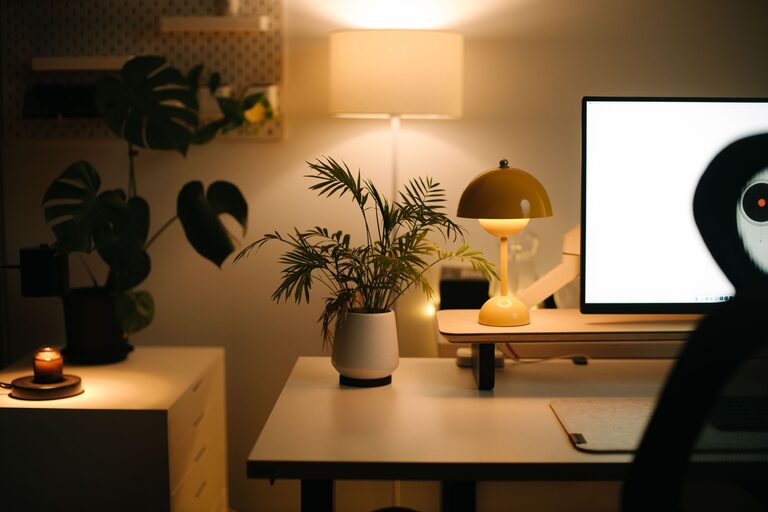
– Combine natural light with task lighting like desk lamps.
– Use adjustable lamps with warm or neutral light to create a cozy atmosphere.
– Avoid harsh overhead lights that cause glare or fatigue.
Minimize Distractions
A clutter-free environment supports concentration.
– Set up your workspace away from busy areas.
– Use noise-cancelling headphones or play soft background music if needed.
– Establish boundaries with family or roommates to respect your working hours.
Add Comfort Features
Little comforts can make long workdays more pleasant.
– Keep a cozy blanket or cushion nearby.
– Have a water bottle and healthy snacks within reach.
– Use an essential oil diffuser or scented candles for a calming ambiance (check safety if using candles).
Plan Your Technology Setup
An efficient tech setup helps you work without hassle.
– Ensure reliable internet connectivity with a strong Wi-Fi signal or wired connection.
– Use a monitor or laptop stand to maintain good posture.
– Keep chargers, external drives, and headphones organized and accessible.
Establish a Routine
Finally, having a consistent daily routine enhances productivity.
– Start your day with a quick tidy-up of your desk.
– Schedule regular breaks to stretch and rest your eyes.
– End your workday by shutting down your computer and organizing your workspace to prepare for the next day.
Conclusion
Creating a cozy and productive home office doesn’t have to be complicated. By thoughtfully choosing your location, investing in comfortable furniture, organizing with intention, and adding personal comfort elements, you can build a space that supports your work and wellbeing. Remember, small adjustments over time can greatly improve your home office experience. Start with one or two tips today and watch how your workspace transforms!